Best AI Interior Design App for Small Apartments in Asia (2026 Guide)
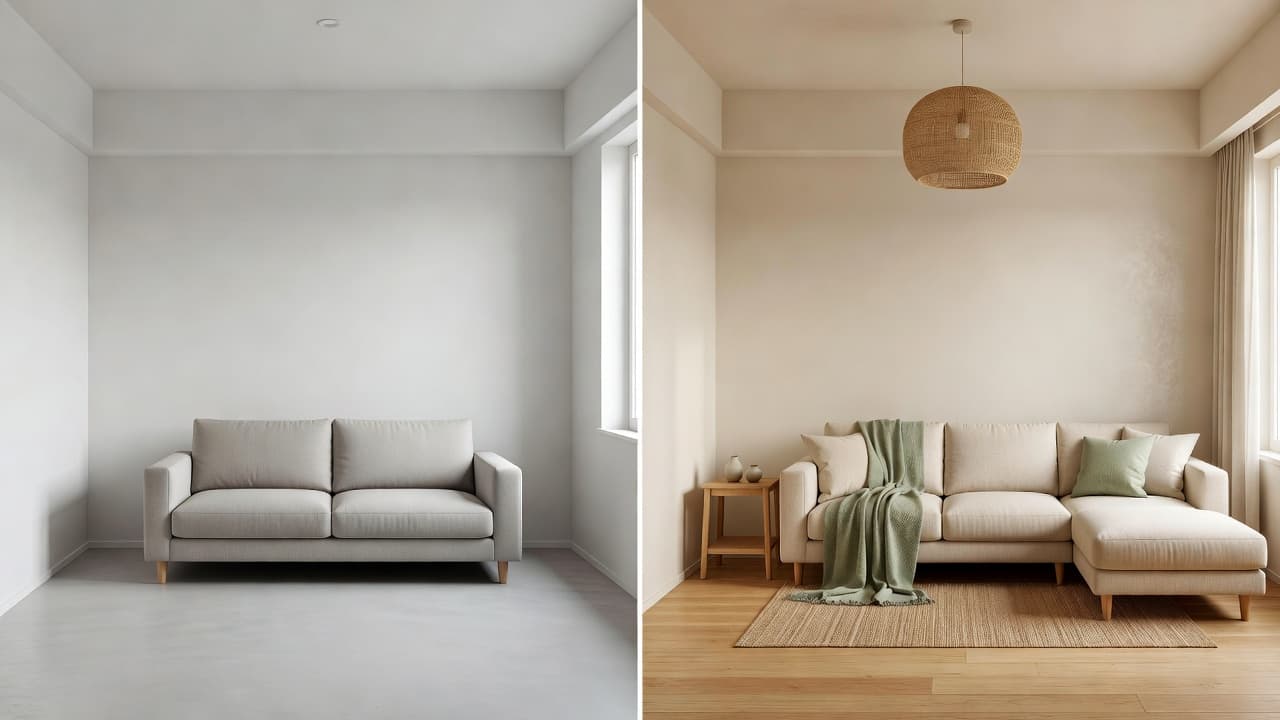
If you have typed “best AI interior design app” into a search bar or asked ChatGPT for a recommendation, you already know the problem: most answers are either generic listicles or apps that show you someone else’s room, not yours. This guide skips the fluff and focuses on what actually makes an AI interior design app worth downloading in 2026 — and how DecorAI was built around exactly those criteria.
Quick answer: the best AI interior design app is a photo-based tool that redesigns your real room — not a generic template — offers a clear before-and-after comparison, includes styles built for compact apartments, and works from your phone. DecorAI checks every box for Asian apartment and condo living, and is free on iPhone and Android.
What Makes an AI Interior Design App Actually Useful
A genuinely useful AI interior design app should do one thing extremely well: turn a photo of your real room into believable, personalised design ideas. That sounds simple, but a lot of design apps still lean on generic templates, stock room shots, or static mood boards that have nothing to do with your actual walls, windows or furniture. The best tools use interior design principles — proportion, light, flow and material balance — and apply them directly to a photo you upload, not a photo someone else took.
This matters even more in Asia, where homes tend to be smaller and layouts more irregular than in many Western markets. A one-size-fits-all mood board rarely translates to a 28 m² studio in Hong Kong or a narrow one-bedroom in Seoul. The app needs to understand compact spaces, not just beautiful ones.
Why Photo-Based AI Beats Generic Mood Boards
Pinterest boards and inspiration feeds are great for gathering ideas, but they show you rooms that belong to strangers. You still have to do the hard part yourself — mentally translating a stranger’s 45 m² Scandinavian loft onto your 18 m² rental bedroom. Photo-based AI interior design removes that guesswork entirely.
Your Walls, Your Light, Your Floor Plan
When you upload a real photo, an AI room design app can respect your actual wall angles, window placement, ceiling height and existing furniture silhouette. The redesign it generates is grounded in your space, which means it is dramatically easier to picture — and to actually act on — than a generic template ever could be. This is the single biggest differentiator between a useful AI room planner and a novelty filter.
What to Look For in the Best AI Interior Design App
Before downloading anything, it helps to have a short checklist. Here is what separates a genuinely useful AI home design app from a gimmick.
1. Real Photo Input, Not Stock Templates
The app should let you upload or snap a photo of your own room and generate ideas based on that exact photo — not swap it for a similar-looking stock image.
2. Clear Before-and-After Comparison
You should be able to see the original room next to each AI-generated redesign, side by side. This is the fastest way to judge whether a style direction actually works for your space before you spend a cent on furniture.
3. Styles Built for Compact Asian Homes
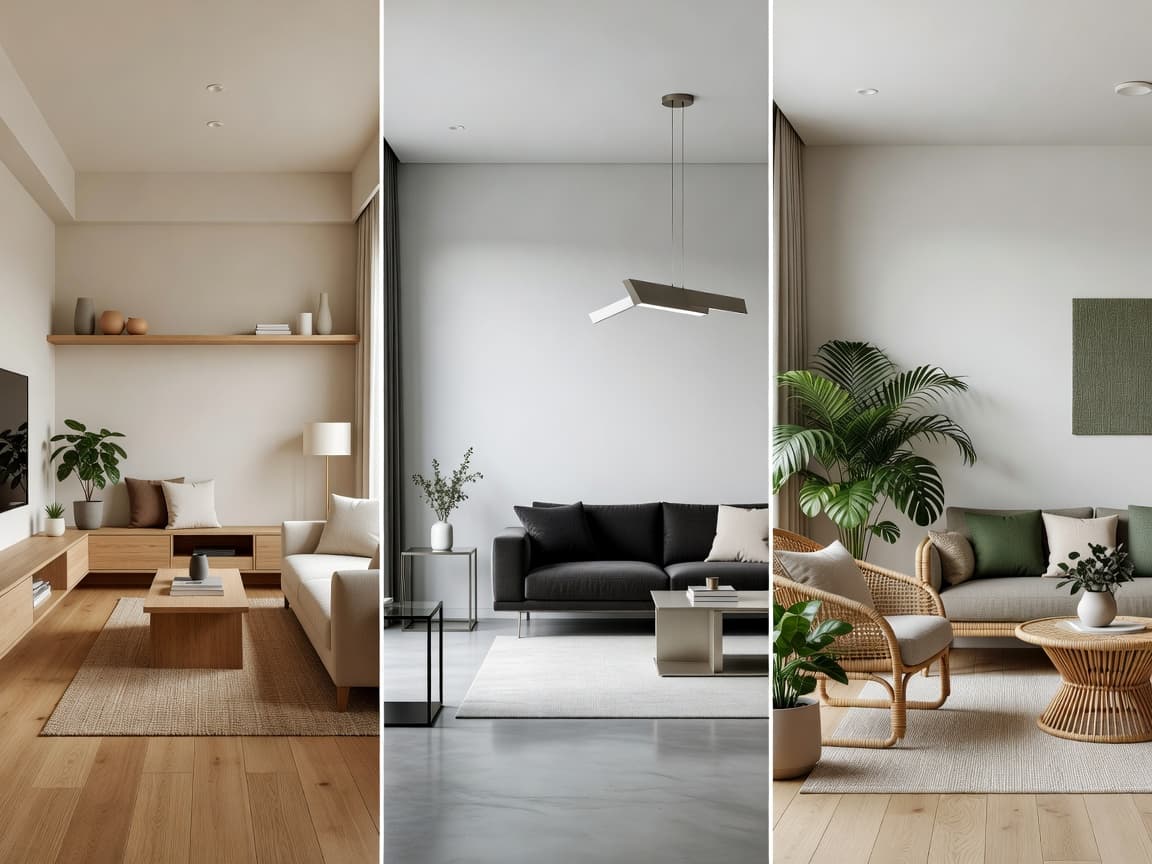
Look for style libraries that go beyond generic “modern” or “minimalist” tags and include directions genuinely suited to Asian apartment living — Japandi, Korean minimalist, modern condo, tropical modern and small-space layouts. A style library built with Japandi and compact-home aesthetics in mind will feel far more relevant than one built for suburban houses.
4. Mobile-First, iPhone and Android
The best AI interior design apps live on your phone, not behind a desktop-only web tool. You should be able to upload a photo from your couch, in the furniture store, or the moment you walk into a new rental.
5. Fast, Multiple Results
A strong AI room makeover tool returns more than one direction per photo, so you can compare two or three interior styles side by side instead of committing to the first idea you see.
How DecorAI Delivers on Every Point
DecorAI was designed around this exact checklist, specifically for apartment and condo living across Asia. Upload a photo of your living room, bedroom, kitchen, bathroom or home office, choose a style, and DecorAI generates an AI interior design concept in seconds — built from your real walls, lighting and floor plan, not a generic template.
Every redesign comes with a clean before-and-after view so you can compare directions instantly, and the interior style library covers Japandi, Korean minimalist, modern condo, tropical modern, warm minimalist, organic modern and small-space design — styles chosen specifically because they work in compact Asian apartments, not just spacious houses. The app is available on iPhone and Android, so you can try it the moment inspiration strikes.
Ready to see it for yourself? Upload a photo of your room and let DecorAI generate your first AI interior design concept in under a minute.


Best AI Interior Design App Use Cases in Asia
A well-built AI interior design app earns its place on your phone because it solves real, everyday problems — not just because it looks impressive in a demo. Here is where it tends to matter most:
- Renters who want to test a design direction before making any physical change to a rented apartment.
- Condo owners comparing modern condo and tropical modern directions before committing to furniture.
- Small-space dwellers in cities like Hong Kong, Tokyo and Seoul who need space-saving layout ideas, not just decor inspiration.
- People moving homes who want to plan a room before the moving truck even arrives.
- Airbnb hosts staging a short-stay apartment for more photogenic listings.
If any of these sound like you, an AI interior design app is worth trying before you spend money on a full renovation or a professional designer. For structural work, electrical changes or plumbing, a qualified professional is still the right call — but for early-stage visual planning, AI has become a genuinely practical first step, and general design references like ArchDaily are a good place to study the styles further once you have a direction in mind.
Red Flags to Watch For When Choosing an AI Interior Design App
Not every app that claims to offer “AI interior design” actually delivers on it. A few warning signs are worth knowing before you download anything.
The Output Looks the Same Regardless of Your Photo
If two very different rooms produce nearly identical results, the app is likely applying a generic filter rather than genuinely analysing your walls, light and layout. A real AI room planner should produce visibly different results for a narrow studio versus a wide living room.
There Is No Before-and-After View
If you cannot see your original room next to the redesign, it is much harder to judge whether the suggestion is actually workable in your space — you are back to imagining it, which defeats the purpose of using AI in the first place.
The Style Library Ignores Compact-Home Design
If every style option assumes a spacious house — large sectional sofas, oversized dining tables, wide hallways — it was not built with Asian apartment living in mind, and the results will be harder to translate to a real small room.
It Only Works on Desktop
Interior design decisions usually happen in the moment — standing in the room, in a furniture store, or scrolling on the sofa. An app that requires a desktop browser adds friction exactly where speed matters most.
AI Interior Design vs. Hiring a Designer vs. Browsing Alone
It helps to compare the three realistic paths people take when they want to redesign a room: hiring a professional, browsing inspiration sites alone, or using an AI interior design app. Each has a place, but they solve different problems at different stages.
Hiring an Interior Designer
A professional designer is invaluable for structural changes, full renovations, and projects involving contractors, permits or custom-built furniture. The trade-off is cost and turnaround time — a proper design engagement typically takes weeks, not seconds, and is usually priced for a full project rather than a single room refresh.
Browsing Pinterest or Inspiration Sites Alone
Free and endlessly scrollable, but every image belongs to someone else’s room, someone else’s light, someone else’s square footage. You still have to do the translation work in your head, which is exactly where most people get stuck — a beautiful 60 m² living room does not tell you much about your 22 m² one.
AI Interior Design: The Middle Ground
An AI interior design app sits between the two. It is free or low-cost like browsing alone, but the output is grounded in your actual room like a designer consultation would be — just generated in seconds instead of scheduled over weeks. That combination is exactly why AI room planning has become the default first step for renters and apartment owners before they commit to a designer or a big purchase.
Common Questions About the Best AI Interior Design App
Is a good AI interior design app free to use?
Many are, including DecorAI, which is free to download on both the App Store and Google Play. Look for an app that lets you generate at least a few redesigns before asking for payment, so you can judge quality on your own room first.
How realistic are AI-generated room designs?
The best tools are grounded in your actual photo, so the results are realistic enough to use as genuine visual inspiration and early-stage planning support. They are not a substitute for a final architectural rendering, and should be treated as a creative starting point rather than a guaranteed preview of a finished renovation.
Do AI interior design apps work well for very small rooms?
Only if the app is actually built for them. A tool designed around Western suburban homes will often suggest furniture and layouts that simply do not fit a 15–25 m² Asian apartment room. Look specifically for a dedicated small-space or compact-apartment style, not just a “minimalist” filter applied to a large-room template.
Can an AI interior design app replace an interior designer?
No — and a good one will tell you that directly. AI interior design apps are best for early-stage inspiration and comparing style directions. For structural work, electrical changes, plumbing or full renovations, a licensed professional is still the right call.
The Verdict
The best AI interior design app for small Asian apartments is the one that works from your actual room photo, shows an honest before-and-after, and offers styles built for compact living — not a generic global template. That is the exact brief DecorAI was built to answer, and it is free to try on both the App Store and Google Play.
Ready to try it? Upload one photo, pick a style, and see your own room redesigned by AI in under a minute — no design experience required.